


Discover the latest industry news and audio post production.

This blog provides a step-by-step guide for creating a custom Kontakt instrument, from concept and recording to sound design considerations

November 23, 2021
We are back with part 2 of our guide on how to create your own custom Kontakt instrument. In todays post we will be looking at how to edit and process your samples, and how to integrate them into Kontakt and program them into a playable instrument.
One you have captured all of the desired audio for your instrument you can now move forward with the editing and processing stage. this is where you will prepare your samples to be loaded into Kontakt.
Line all of your samples in your DAW timeline and go though each one, paying attention to the sample start and end, trimming and fading files as needed and making sure everything is sounding nice and clean. You will also want to maintain a consistent audio level between similar samples for example, all your "soft" samples should be around the same volume, then the same for medium, hard etc.
As well as editing your samples, you may also wish to apply some effects processing to them before they are loaded in Kontakt. Reverbs, delays, noise gates, EQ and compression are all great tools for processing and shaping your sound.
In our xylophone example we would use some mild EQ and compression to tame any harsh elements of the sound and round off the transients a bit.

Once you have your samples prepared, its time to open up Kontakt and import your sounds to be programmed into the instrument.
Samples are programmed into Kontakt using the mapping editor. This is a visual display of all the keys across the keyboard, and samples can be dragged and dropped onto the key of your choice.
When working with pitched samples, it is important to make sure that the pitch of the sample being triggered correctly corresponds to the key on the keyboard. You can test this by pressing keys in real-time and the visual display will show you which key is being pressed. You can then alter the root key of each sample accordingly, moving it higher or lower depending on how far away it is from the correct pitch.
To program different velocity layers, you can place multiple samples on to one key and instrument Kontakt to play a different sample depending on the velocity that is pressed. For example velocity 1-36 will trigger our "soft" sample, 37-70 will trigger our "medium" sample, 71-100 will trigger our "hard" sample, and 101-127 will trigger our "very hard" sample.

Kontakt's "under the hood" view. Here we can see the mapping editor with vertical blue lines, and the group editor above it. The group "Low Shots" is currently selected and the mapping editor is showing the samples contained within that group. The keyboard at the bottom shows us the range our instrument takes up, and the different colours correspond to the different groups of sounds we have.
Kontakt allows you to create different sample groups which can be edited independently of one another. This is useful when you want to have multiple banks of sounds occupying different areas of the keyboard, instead of one sound that stretches the full octave range like is common with a synth pad or keyboard patch. Selecting a group in the group editor window will show you the samples in position in the mapping editor, as well as the keyboard range they take up on the keyboard visualiser at the bottom of the window. Groups are also used to program round robins. You will have a different group for each round robin and then Kontakt will trigger a sample from each group incrementally to create the round robin effect.
Once you have placed you samples on to the correct keys and configured the various velocity layers you can then test your instrument by playing it with your midi keyboard and making fine adjustments to things from there.
When making final adjustments to your instrument you should pay attention to the adsr envelope, making sure that the attack and release times have been set correctly so that your instrument sounds how it supposed to across the full range of the keyboard. You should also listen out closely for any tuning discrepancies within your samples and tweak them if necessary.
With all of these steps complete you now have a fully functional custom Kontakt instrument. Of course we have only covered the basic functions in this article, and there are more advanced elements to discuss such as scripting, using built in effects, looping and much more. Stay tuned for more in part 3!
Thanks for checking out this article!
This blog provides a step-by-step guide for creating a custom Kontakt instrument, from concept and recording to sound design considerations
November 23, 2021
Native instruments Kontakt has been around for many years now and in that time it has become a trusted tool for many composers, sound designers and audio professionals.
There may of course be times where the patch you are working with reaches its limitations, and you are in need of something a little more bespoke to your needs. This is where knowing how to create your own Kontakt instrument can be really useful.
If you've ever had an idea for a cool sampler instrument but you didn't know how to go through the process of creating one then this short guide should give you all the information you need to build your own.
The first step to building your own Kontakt instrument is to decide upon the concept that you will be working with. Perhaps you have an old electric piano that you could sample, or maybe there are some toy instruments lying around your studio like a xylophone or something similar.
Once you have decided upon the subject you wish to sample, take sometime to think about the desired outcome for the instrument. Is it for commercial release or just for personal use? Is it something that you will be using all the time or is it more just a little experiment to play around with? The desired outcome of the instrument will dictate the next stage of the process, as an instrument for commercial release will require a much more meticulous approach than one that is just for personal use.
For the sake of the guide, lets use the example of the xylophone for our instrument.
Once you have decided upon your concept its time to enter the recording stage. This is where you will capture all of the audio material that you will program into the instrument.
Before you hit record, there are a few things we need to think about and key terminology to wrap your head around.
Velocity layers - Will your instrument have different velocity layers? This is where you record each sample multiple times going from soft, medium and hard. When a key is pressed on the midi keyboard, the velocity of the key will trigger the corresponding sample. This works best for sounds that are percussive in nature and less sustained.
Round robins - A round robin is a type of playback that triggers different sampled versions of the same sound. This gives a much more natural sound to your Kontakt instrument as there will be variation between hits just like what happens with real instruments. If you want your Kontakt instrument to use round robins you will have to record multiple versions of each sample.
Percussive or sustained? - Whether the instrument you are sampling is percussive or sustained will have a large effect on the approach you will use to record it. Percussive sounds have sharp attacks and then die away over time such as drum sounds or a piano or guitar sting being plucked. This makes them more suitable to using multiple velocity layers and round robins, as this will give the patch a more natural sound.
Sustained sounds often maintain a constant pitch over time and tend to be more long and flowing. You can think of a violin, flute or singers voice as good examples of sustained sounds. They tend to benefit less from velocity layers and round robins, but they will often require some kind of looping function to create a smooth constant note that can be held indefinitely.
How do you want your instrument to sound? - Are you after a roomy and reverberant sound for your instrument or would close miccing be a better option? Is your instrument supposed to be "natural" sounding or something more "produced" and "cinematic"? These are all questions you need to ask yourself before hitting record.
Taking all of this in to account, you can now move forward with recording the sounds for your Kontakt instrument.
In the case of our xylophone example, we would work with a close microphone setup and use the proximity effect to give the sound some extra punch. Once we have the sound we are looking for we would then record each note of the xylophone using 4 velocity layers, and 3 round robins. In the case of a 2 octave instrument this would give us a total of 168 samples to work with in the editing and processing phase.
The exact specifics will change depending on the nature of the instrument/object you are recording, but it will generally follow this approach.

Thanks for checking out this article!

This blog explores 5 films with outstanding sound design—The Matrix, Sinister, Terminator 2, Heat, and Saving Private Ryan—offering key lessons on sound techniques, from realistic effects to atmospheric tension, for aspiring sound designers.
November 23, 2021
Sound design is an art that is both highly technical yet driven by emotions. As with any art form, what better way to learn than by studying the great works that have come before you.
Here are 5 films to study for their amazing use of sound design and other audio elements.
The Matrix was a ground-breaking film on many levels, not only for each use of special effects and slick fight scenes but through its use of sound design to ground the audience in the world of the film.
Released in 1999, just as the world was bracing itself for the digital revolution, The Matrix places a heavy emphasis on sound design to convey the themes of man vs machine.
Phones, tv screens and computers are used as an access point between the real world and the matrix, so electricity sounds are used heavily in the film. "One of the unifying concepts of the movie is that everything is motivated by electricity which results in a lot of sparking and zapping in the future scenes."
Supervising Sound Editor Dane Davis conducted multiple recording sessions at power plants and even rented a Jacobs ladder to capture the arcing sounds used for the Hovercrafts.
"We rented a six-foot-tall, 30,000V Jacob's Ladder, and I obtained the sort of Dopplering arc cycles that I needed by recording this huge arc going very closely by the mic and making forward-reverse loops."
The Matrix also took a revolutionary approach to the sound of its fight scenes, Opting for a slick and stylish approach that was heavily influenced by the wave of Japanese animation in the 1990s.The Matrix also has a fairly stripped back foley track for a film of its size, which is quite interesting when you consider the amount of content that the film contains. This might have been done to enhance the artificial feeling of the world inside The Matrix.
Sinister is widely regarded as one of the best Horror films of the 2010s and contains some of the creepiest and downright chilling sound design in all of Horror.
The films plot centers around a true-crime writer who discovers a box of old 35mm film reels in his attic. Upon watching the films, he discovers that they contain grisly footage of 4 families being murdered.This film is a masterclass in how to build tension through sound, and as is often the case in Horror, its what you don't see that I truly frightening.
Sinister is unique in that it boldly mixes traditional score with foley and sound design. This is something that is not often seen in Horror. Sinister makes use of music concrete, weird vocal moanings, demonic messaging and strange rhythmic tape loops.
James Cameron's epic sequel to The Terminator upped the ante in nearly every single way, and its sound was no exception.
The sound team was headed by veteran sound designer Gary Rydstrom, and they were challenged to push the boundaries of what was expected in a blockbuster action film.
In Rydstrom's own words...
"In Terminator 2 Cameron's approach to sound was hyperrealistic. Everything had to be so much bigger than life. Every sound effect in Terminator 2 had to sound like it was injected with testosterone, it had to be inflated to unworldly possibilities."
The main villain of the film, T1000 is a bulletproof, self-regenerating robot that can warp through solid objects. What makes Terminator 2 stand out is the way it tackles complex sound design moments through incredibly simple and creative methods. No electronics at all were used and all of the effects came from recording real-world sources.
Some methods in this film include:- Wrapping a mic in a condom and dunking it into various gloopy mixtures.
- Slamming an inverted wine glass into a bucket of yoghurt.
- Dog food being sucked slowly out of a can.
Terminator 2 is proof that you don't need loads of fancy equipment to create amazing sound design, the only thing that matters are your ideas and execution.
Michael Mann's crime epic depicts an intricate game of cat and mouse between a bank robber and the cop whose job it is to catch him, set against the sprawling neon backdrop of downtown Los Angeles. Heat is generally regarded as a modern crime masterpiece and was used as a chief inspiration behind Christopher Nolan's The Dark Knight.
Heat builds slowly and uses a realistic, almost documentary-style to draws us into the world of LA. The movie was shot completely in real locations and uses extensive location recording and production sound to flesh out each scene and bring the world of the film to life.
Heat contains, without doubt, the most well-crafted shootout scene in cinema history. The gunfight scene was shot using real weapons firing blank rounds on the streets of downtown LA. In the final mix of the film, the production sound was chosen over sound effects added in post, and you can hear the sound of the gunshots ricocheting off the concrete buildings for a truly visceral and heart-stopping effect. It is this realistic approach and painstaking attention to detail that makes Heat stand out as one of the best films to study for sound designers.
In what is perhaps the quintessential war film, Steven Spielberg places us directly in the thick of the action, showing us the raw brutality of war, and the effect it has on the men that fight it. Saving private Ryan is notable both for its scale and authenticity. The use of washed-out colours and disciplined camerawork creates an experience that is as close to non-fiction as possible, but it is the sound design and foley which elevates this film into something truly special.
All of the weapons sounds come from the real guns themselves, and that includes everything from the guns being fired, to the mechanism and handling sounds. This same approach was used for the clothing and equipment, footsteps and vehicle sounds.
Saving Private Ryan also shows us how to effectively use silence and other sonic elements to place you in the head of the character, as illustrated in the iconic shell shock scene from the opening sequence.
We hope you enjoyed this article!
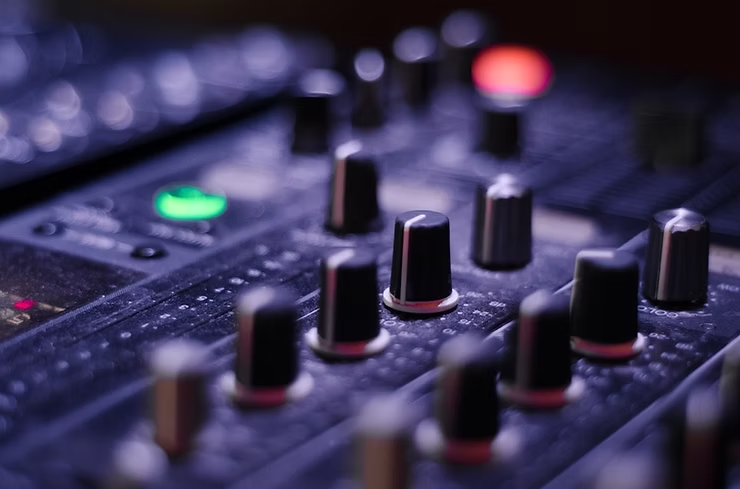
This blog is a comparison of synthesis vs. field recording in sound design. The blog delves into the strengths of both techniques and how they contribute to effective sound design.
November 23, 2021
Many of the world's most seasoned Sound Designers claim that natural sound sources garner more worthwhile results than synthesised ones. Even on exotic design elements such as sci-fi and fantasy weapons and creatures, the process of recording makes elements sit better in the mix, but why is this?
The biggest difference between synthesis and field recordings is the origin of the sound wave. Most subtractive synthesizers generate analogue waveforms like sine, square, triangle and sawtooth, each containing different harmonics which provide a timbre. The sound designer can then use a filter to remove low or high frequencies, further shaping the sound. Next comes modulation, envelope generators and low frequency oscillators which add movement to the sound.
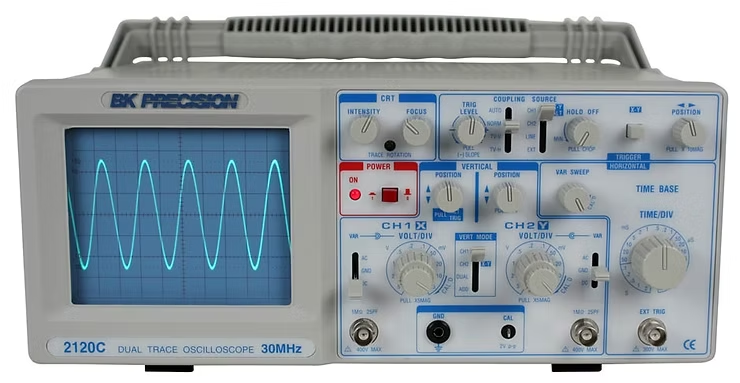
Recorded sounds can be much more varied, due to the millions of possible sources available in the world. Human vocalisations for example, are generated in the vocal folds, through vibration - which then resonates in the throat to create recognisable speech. Because of the elaborate nature of this process, the resulting waveform is far more complex than those generated in subtractive synthesis.
Alongside tonal waveforms, many synthesizers can generate white noise. Natural sounds are also quite often noise based, but they constantly shift in frequency, amplitude, distance and timbre which makes them distinguishable from synthesised sound. All of these factors add modulation, resulting in a constantly shifting sound wave.
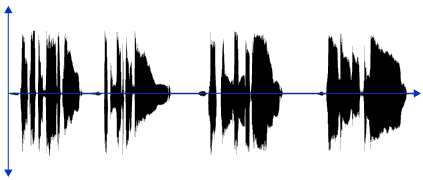
It is this modulation that helps make your sound design believable to audiences. Once a sound is being modulated heavily, it more closely resembles human speech and other natural sounds.
Considering the ability of the human brain to process and evaluate these complex waveforms, we can conclude that using a synthesised source will allow your design to be more easily detected by audiences. Complex processing can help alleviate this to an extent, but a field recording captures these modulations at source. Recordings with processing will provide you with usable results faster than traditional synthesis.
However, emerging technologies and advances in computer hardware have allowed programmers to create alternative synthesis methods, such as additive and physical modelling, which use combinations of sine waves and resonators respectfully to replicate natural sounds.
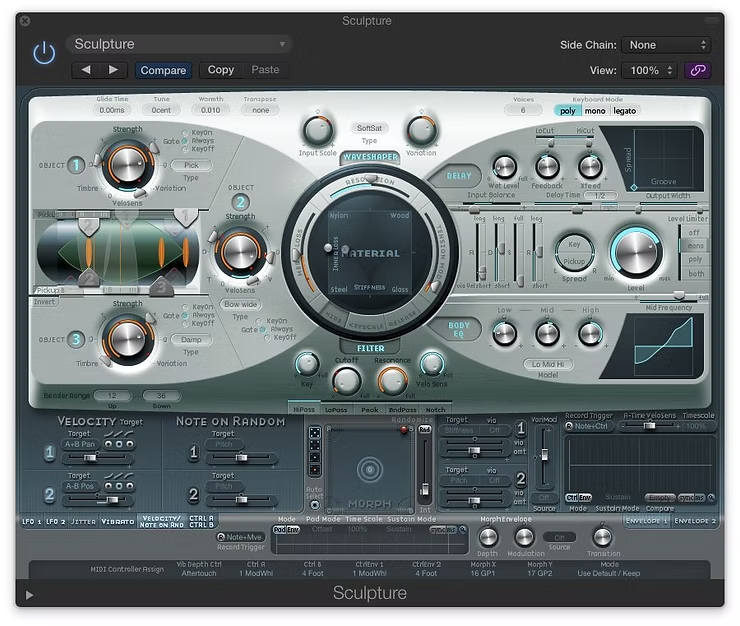
Here we have an exterior wind sound - is it a synthesised sound or a field recording? Let us know what you think below.
https://soundcloud.com/344audio/sound-of-the-week-54-cold-wind-gusts-birds

This blog is about how we use the Zoom MS-70CDR for Sound Design
November 23, 2021
Zoom's MS-70CDR MultiStomp Chorus / Delay / Reverb pedal is the first of its kind. It provides the full power of a rack-mounted multi-effects device in a compact stompbox design.
We recently purchased the Zoom MS-70CDR to assist with live sound design during pre production. It is useful for a variety of effects in a small format unit, and has allowed us to create fast mockups of sound effects in front of clients, intended for use once post production starts. It's reverbs model much more expensive units, and the processing sounds great on voices and instruments, especially when pushed to it's limits with 3 effects in tandem. This product is an example of how to you can operate a piece of audio technology beyond it's intended use and create interesting results. Some of our favourites are the Pitch Shifters and 'Black Hole' reverb.


