


Discover the latest industry news and audio post production.

This blog outlines key audio post-production roles and tools, from sound designers to mixing equipment, essential for crafting a film’s sound.

September 30, 2017
Welcome to part 2 of Audio Post Production Demystified. Our goal with this series is to help educate Filmmakers and like minded creatives about the mysteries of Audio Post Production. Last week we covered Job Roles and Technology. In this week’s post we will take you through the Workflow journey from Pre Production to Deliverables.
In today's fast paced media world, workflow is everything. The following is an ideal scenario, spending the time and budget to make your film both creatively and artistically brilliant with sound.
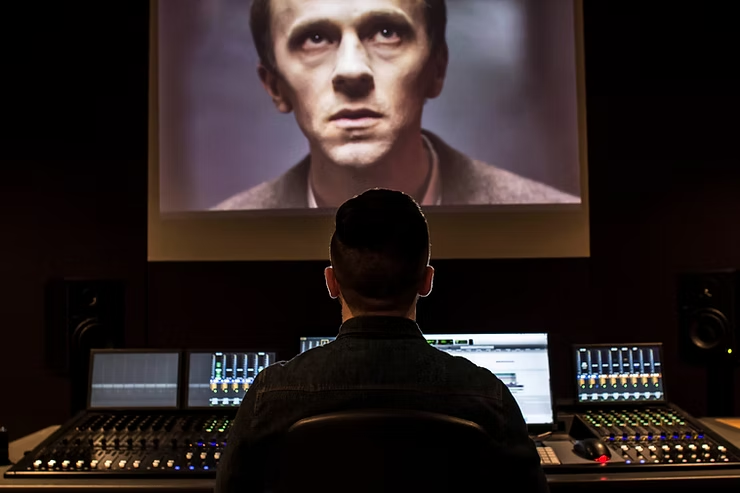
Reading and annotating the script to form a basis of ideas that the Director can critique and build upon.
The Sound Supervisor may get involved with building the team for both Location Sound and Post Production. It is also important to build relationships between the team here.
Sound Supervisors and/or Location Sound Recordists will want to be present during location visits to troubleshoot sound issues and to look for opportunities for recording sound effects.
The Sound Supervisor/Supervising Sound Editor will have a meeting with the Director, to perform a thorough creative analysis of the film and it's required sound assets.
The Sound Effects Recordist will capture sounds that add authenticity and character to the film. These recordings can be taken from a variety of places, both at the location of the production, and during specific field recording trips.
Some sounds may need to be created before production begins, to be played on set for actor's cues or to meet the Director's approval in time for Post Production to start.
The Post Production Sound Team will take a step back at this stage, allowing the Location Sound Team to take care of the sound recording on set.
The Post Production Sound Team will be heavily involved in the film here, from both a technical and artistic standpoint. They will complete the following tasks:
The Supervising Sound Editor and Re-recording Mixer will start by building a DAW master template that is suitable for the given project. This will likely house more than enough audio tracks to cover the whole films dialogue, sound effects and foley ready for mixing. They will then begin importing the necessary files: Video File with guidance audio track (used for checking synchronisation between sound and picture and OMF/AAF files (used for delivery of the production tracks synced by the Picture Editor). *Further guidance on how to deliver files to your Sound Team can be requested via email at: alex@344audio.com*
The Dialogue Editor will either take sections from the master template above or use his own smaller DAW template to edit the dialogues. They will be using the OMF/AAF files delivered by the Picture Editor which contain the raw Dialogue and Location Sound recordings correctly synced to the picture. Dialogue Editing involves trimming and extending clips, adding fades, copy and pasting, swapping out takes and rendering audio repair effects onto clips. Removing any inconsistent and uncomfortable sounds allows the Re-recording Mixer to perform the mix with smooth and clean dialogue tracks. The Dialogue Edit can make or break a mix, so it is crucial to ensure that this sounds great before the Producer and Director make final approvals.
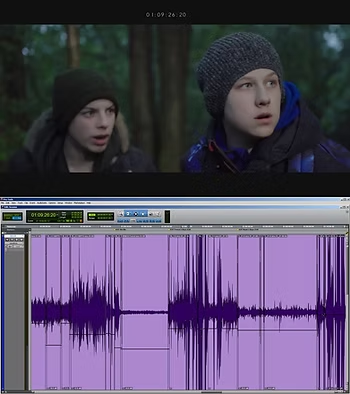
The Sound Effects/Design team is often the largest sub-department and has the most extensive workload on some projects. They will use a part of the larger master template, dragging, dropping, syncing, fading and checking audio files against the picture. They build layers of sound effects taken from personal or commercial libraries to create an immersive soundscape in line with the Directors notes. These sounds come in multiple categories:
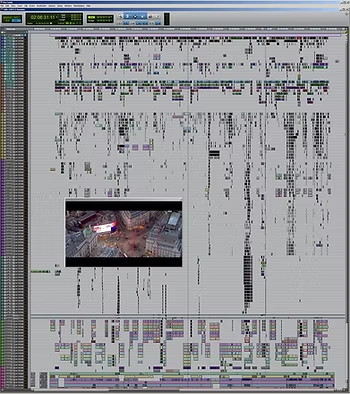
Spot Effects are intended to cover obvious sounds on screen such as doors, vehicles, fist punches etc. They may also be used to replace or enhance sounds captured on the production tracks that aren't suitable for the Final Mix. Spot Effects can be quite complex, a combination of intensive sound editing sessions and communicating with the Foley team are needed to get the best results. Action films tend to be heavier on Spot Effects, as they include more vehicles, gunshots and punches; all of which must be covered.
Background Effects are used to widen the stereo image of your film, and surround the viewer in the mix. They are often long, consistent and looping sounds that can give the audience a different perception of what is on screen. For example, if a scene has howling resonant wind it may feel empty or scary, but if it has tweeting birds it may feel more peaceful. Background Effects can also hide issues in the production track, and tend to sell the continuity between shots in your scenes and transitions. They can also be a way to hide issues in your production tracks. For example, if you have a generator rumble under your dialogue, you may be able to hide it with a refrigerator noise if the scene is within a house. They can be quite extensive on some projects. It is not uncommon to see 8 or more layers of ambient sound covering a scene simultaneously.
These elements cover unnatural/otherworldly sounds, musical sound design or audio that must be manipulated and heavily layered to get the desired result. Examples include monster growls, earthquakes, spaceships, trailer sound effects and drones.
Foley is intended to cover human (and sometimes non human) interactions with objects. It is created by a Foley Artist watching the picture and performing relevant actions with various objects. The main aim of Foley is to cover footsteps, clothes movement and additional sounds aka props. These include details such as gun handling, kissing and coins in pockets. More advanced Foley covers content such as weather and environmental effects.
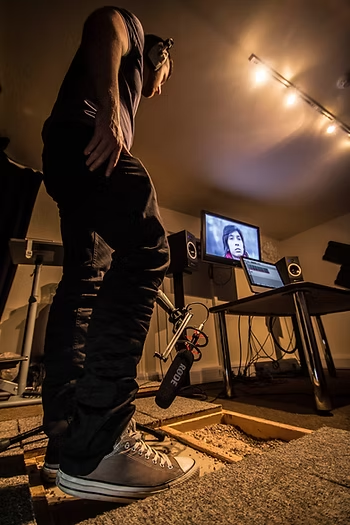
Due to the nature of how most DAW systems work, any changes to the Picture Edit that take place after the Post Production Sound Team have started working, will cause synchronisation issues. Anything from a single frame change to multiple scene cuts must be logged by the editor and delivered to the Sound Supervisor in the form of an Edit Decision List (EDL) and a new video file. It is best to avoid this as additional costs will be incurred, expensive software solutions will be needed, and the Sound Team may need to re-edit their tracklay (combination of dialogue, sound effects, foley and music) manually.
Mixing is the process of taking all of the elements within the soundtrack and balancing them into a cohesive tapestry of sound. The Final Mix will be performed by the Dubbing Mixer/Re-recording Mixer after all of the tracklay is completed and the Director has approved the work. The Re-recording Mixer will use a combination of software tools to sculpt the mix, ensuring that dialogue is consistent, the foley is realistic, sound effects have an interesting surround field, the music blends well and there is a pleasant tonal balance overall.
Mixing sound for picture involves a lot of artistic performance. Re-recording Mixers tend to cue the picture while moving faders, pots and touching screens on digital mixing desks, which yields a very fluid sound. Their eyes, ears and hands are used in tandem whilst working.
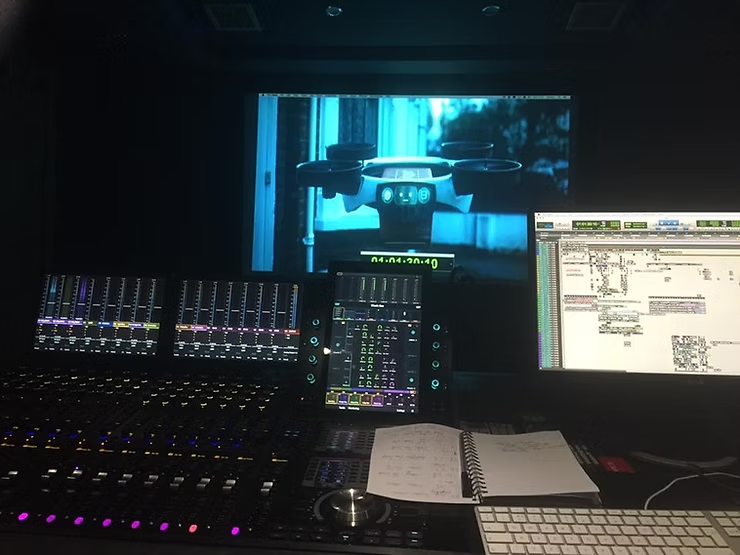
Another crucial element to mixing is the distance perception of sounds. Dialogue is usually situated at the centre of a mix, but will have effects added to push it further from the viewer when characters are further away visually. The remaining tracklay will fill and take advantage of whatever 'percieved space' the given speaker system and delivery specification provides. This means that the more channels you have in your mix (common setups include Stereo 2.0, Surround 5.1 or Surround 7.1), the more options you have to immerse the audience and place sounds in different areas of the listening environment.
For Theatrical Release, the Final Mix should have more dynamic range (the difference between the loudest and quietest sounds) than a mix for Television or Online Distribution. This is to allow for a more pleasant and emotional journey when listening through an ideal system (cinema) vs. a more consistent and louder mix when listening through a less than ideal system (television speakers, phone speakers).
Deliverables are provided by your Sound Team once you have made approvals on the Final Mix. Here are some common things that you may need:
The most affordable and backwards compatible Final Mix that you can ask for. This consists of two channels (Left and Right) and is the format you are used to listening to music or watching YouTube videos in. It is usually delivered in a single Stereo WAV file at 24Bit 48kHz.
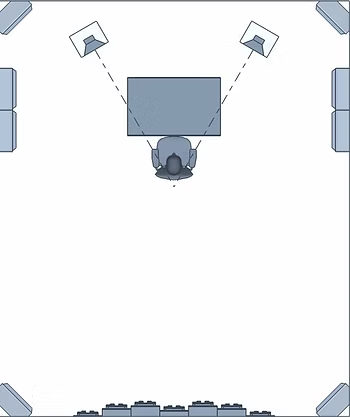
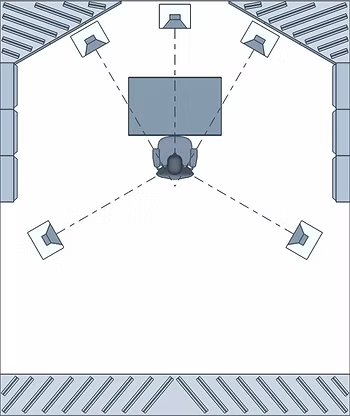
A Surround Mix is usually more expensive than a Stereo Mix, due to the equipment, accuracy and time required. A Surround Mix will sound much better than a Stereo Mix if being played in a large cinema style room, but is less backwards compatible.
5.1 consists of 6 speakers (Left, Right, Centre, LFE, Left surround, Right surround), while 7.1 consists of 8 speakers (adding two additional surround speakers). The LFE (low frequency effects) speaker is used for moments in a mix that need to be enhanced with low frequencies, e.g. explosions. 5.1 surround is the format that you will be used to hearing in cinemas, or when watching DVD's on a home theatre surround system. Surround mixes are usually delivered in 6 Mono WAV files (5.1) or 8 Mono WAV files (7.1) at 24Bit 48kHz and have to be configured by the editor or DCP engineer to operate correctly in the cinema.
'Stems' is a term used by audio professionals which refers to separated sections of a completed mix. The most common is Music, Dialogue and Effects. These can be required for various reasons: film trailers, foreign language mixes etc. The Sound Team will deliver these if requested in the form of 3 separated mix tracks.
A theatrical mix usually has a wide dynamic range, and is often not required to meet any loudness specifications. It's dynamic range is based mostly on subjective artistic choices. It is worth mentioning though, that some theatrical mixes must be mixed in a Dolby Certified Studio or will not pass quality control.
A broadcast compliant mix has less dynamic range, and has to meet the required loudness standards of any given country. It's dynamic range is based mostly on audio meter measurements. If it doesn't meet the required specifications, the mix will be rejected and will have to be corrected and replaced before it can be broadcast. Common standards include EBU R128 (Europe) and ATSC A/85 (USA).
An online mix has even less dynamic range, yet is often not required to meet any loudness specifications. It's dynamic range is based mostly on getting a loud enough mix for listening on mobile devices from video streaming websites.
Please be aware that some companies impose their own mix specifications and that these change continuously, for example Netflix have their own standard, as do some other distributors.
There are some important things to note when the sound team communicates with different members of the crew, and what you can expect to gain from these discussions.
The most important collaboration in every project comes from the Director and Sound Supervisor/Supervising Sound Editor. The relationship built at the pre production stage will allow both parties to push the creative direction further and further until completion. The Sound Supervisor takes the Directors notes and converts them into practical tasks, which members of the Sound team will perform.
The Sound Team will likely be in constant liaison with the Producer to organise the business transactions needed to complete the project. Examples include purchasing sound effects libraries, specific software, foley props and recording locations.
The Sound Supervisor will stay in touch with the Composer, discussing creative ideas to help fuse sound and music. They can create contrasts by letting music lead in some moments, and sound design shine in others.
The Sound Supervisor and Team will likely need to liaise with the Location Sound Mixer to discuss delivery requirements, and talk over any recording issues and solutions.
From Pre Production Script Analysis to delivery of the Final Mix, we hope that with this knowledge you understand how crucial each step of the Audio Post process is. Take the time to build relationships with everyone involved. Don’t forget to meet us here for next week’s blog where we’ll be discussing emerging sound technologies and offering a comprehensive sound terminology glossary.
This blog outlines key audio post-production roles and tools, from sound designers to mixing equipment, essential for crafting a film’s sound.
September 22, 2017
At 344 Audio, we are drawn to sharing knowledge with creatives of all kinds. That's why we have decided to formulate a three part guide to answer the questions that many filmmakers may have regarding Audio Post Production. Today’s focus will be the break down of the job roles and technologies used within our industry.
Due to budgetary constraints and technological advancements, some of these roles are now blurred within smaller projects. You should still be aware of their existence, and manage your expectations based on the sound team that you can afford:

A Sound Designer is a multi skilled sound professional who gets creatively and technically involved with making sounds to tell a story. On smaller budget projects, the Sound Designer may also be the Dialogue Editor, Sound Editor, Re-recording Mixer, Sound Supervisor and sometimes the Foley Artist.
Dialogue Editors take the Location Sound that is synced up by the picture editor, and work to ensure a constant flow of dialogue without clicks, pops, noise, distortion and discontinuities.
A Sound Editor takes recordings from sound libraries and places them in sync with the picture to help create a seamless flow of continuity and narrative.
A Re-recording Mixer takes the audio tracks that the team have created, deciding which elements will remain (in line with the Director's notes) as well as their overall tonal balance, distance perception and technical needs for the final deliverables of the Sound Mix.
Foley Artists perform sounds that would be impractical to create with sound effects and sound design. Examples include footsteps, cloth movement and gun handling. They also add a layer of continuity to your actors performance.
Foley Mixers record the sounds that the Foley Artist creates, giving them feedback on the performance whilst listening for technical issues.
Foley Editors edit the Foley Artist's work, to make it sync with the picture and to assure that it is suitable for mixing by the Re-recording Mixer.
A head of department, who often helps with building the Sound Team and overseeing collaboration with the Director and Producers to achieve the best Final Mix possible.
A Field Recordist who records custom sound effects for your project, often with high end equipment.
ADR Mixers record ADR (automated dialogue replacement) to replace unusable audio from location. They liase with the Director and Talent to get the best performance and believability out of the recordings.
There are many technologies that the Sound Team will use to help enhance your film, adding flair and interest to the Final Mix.
The software that the Sound Team use to perform the majority of their post production tasks. Current industry standards include Avid Pro Tools and Steinberg Nuendo. It is the equivalent of the NLE in picture editing and films will often end up with at least 100 tracks of audio.

The Sounds that form the basis of many film soundtracks. Independent Sound Effects Recordists gather, edit and distribute these online. The industry standard formats are 24Bit 48kHz and 24Bit 96kHz WAV. They are usually sold within themes - 'car engines' 'dinosaurs' 'scifi weapons' etc.

A wide variety of specialised microphones are used inside and outside of the studio to achieve the necessary recordings for the production. Some common microphones include the Sennheiser MKH 416, Neumann U87, RODE NTG3.

Field Recorders are used to record and store audio recordings. Some common recorders include the Sound Devices 633, Zoom F8, Sony PCM-D100 And Zoom H6.

This device is used as a bridge between microphones, external equipment and the computer workstation within a studio. Most interfaces have microphone pre amplifiers for recording a range of material. Popular brands include Avid, Focusrite and M-Audio.

High end computer workstations are used to process the multitude of tracks, recordings and software plugins that the Sound Team will use.

A peripheral included in many products or it can be standalone. It amplifies the signal captured by the microphone and determines the noise floor and dynamic range of the recordings.

A Control Surface or Mixing Desk is used to balance and control the audio tracks, execute DAW functions and achieve a coherent Final Mix. Common control surfaces include Avid S6 and Digidesign ICON D-Control.

Specialised speakers, that offer a more 'flat' frequency response curve and accuracy than consumer systems, giving the Sound team and Director insights into how the mix really sounds. Popular brands include Genelec, Dynaudio and ADAM Audio.

A device intended for musical use, which can generate electronic sounds defined and sculpted by the user with various parameters.

Software plugins are an extension to the DAW, and usually come in the form of an effect inside of a DAW. Common examples are equalisation and compression. Third party plugins allow various extra features to be implemented to your workflow. Common examples include software for audio restoration, alternative metering, and the ability to use immersive audio formats.

These 'props' are used to perform various character movements. Foley Pits usually contain multiple surfaces that a Foley Artist can walk on to create believable Footstep performances.

Now that you're familiar with the job roles and technology of audio post production, keep an eye out for Part 2 where we'll dive into the full audio post workflow.

This blog explores how sound designers develop heightened auditory perception, enhancing creativity but also causing sensitivities like misophonia, requiring careful ear protection to balance their craft and well-being.
June 10, 2017
Over time you start to hear more details when working: lower noise floors become more audible, shorter transient clicks perk up your ears and the frequency content of sounds can be split into bands within your brain. This helps you make micro decisions much faster, and saves your clients lots of time. When working in Film/TV specifically, you have to be able to make judgement calls quickly in order to meet deadlines as a Sound Designer, so this developing perception really does make a difference.
The world's soundscape starts to become more apparent, noises feel louder and 'silence' feels more pleasing. The sounds of nature become more soothing, things that you would place in a film in peaceful moments such as birds chirping or water lapping become relaxing and your brain seems to be more in tune with the natural world.
You also find interesting tonality and musicality in everyday sounds. Multiple car horns can form a rhythmic melody, friends telling exciting stories now have a Major tonality, while pain and sadness in speech follows a Minor tonality. Any sounds which are digitally triggered around you, now leave a lasting thought process of how they were created - "was that synthesized or was it a real recording?"
You find inspiration every where you go. Every sound has the potential to be transformed into something that might work on the next project, at times this can be very distracting, but mostly it is a blessing. You appreciate the finesse of the Sound Mix when sitting in a cinema, and know that you may be the only one in the room noticing that moment where the animals moved to the rear speakers ever so slightly.
You experience ASMR on a whole different level. Beautiful and soft voices make your spine tingle and give you the compulsion to want to hear more. Delicate and closely miked sounds make you happy and content.
All of this does have its downsides of course, which leads on to...
You tend to also develop the opposite side of ASMR; Misophonia. Since you spend your days correcting objectively 'bad' audio (dialogue or sound effects with too much noise, clicks, pops, thumps or discontinuity etc), you are conditioned to notice these on a micro level. This means that people who lip smack a lot are almost unbearable to listen to, movie trailers with bad location sound ruin your experience and many online content videos feel difficult to watch.
The artistic choices you make also massively condition you and affect your real world perception. Since tonal wind and crows are examples of common sounds in scary film scenes, it is not uncommon to feel a minor fight or flight response when hearing them as you walk down the street.
You become extremely distracted by repetitive sounds, and find it hard to let them blend in to the world around you. Ticking clocks or even wrist watches can be irritable, car window wipers and alarms are a chore to listen to.
Even though your perception of sound can change for the better, working 12-14 hour days can temporarily fatigue your hearing and you may find yourself asking people to repeat their sentences, which is always a sure sign that you need a break!
It means that we have to take more breaks when working - the rule of thumb is that the longer you work per day, the lower the monitoring level should be.
It can mean that the enjoyment of many events can be hindered by bad sound - movies, gigs, live performances etc. can be unbearable.
Being aurally enhanced is a blessing, and one that should be preserved. That's why many Sound Professionals have to take drastic steps to protect and care for their ears. Swapping cotton swabs for olive oil cleansing is common, as is wearing (often expensive) custom moulded earplugs to protect your hearing at gigs, live shows and in some cases the cinema!
The fact that you can use this developed hearing to create art and offer services is wonderful. The progression of your hearing makes it fascinating to experience life while aurally enhanced.
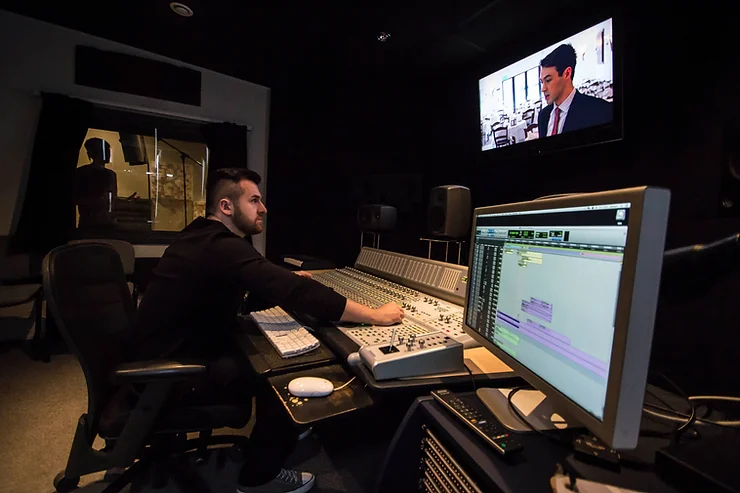
This blog highlights why sound design should be planned from the start of a film project. It shares tips on working with sound designers, budgeting, and clear communication to create a great soundtrack.
June 10, 2017
Here at 344 Audio we love to spread knowledge and provide guidance on current industry workflows and practices, so we have decided to make our first blog post about how you can work best with a Sound Designer and Audio Post team to achieve a great soundtrack for your project.
When speaking with new clients about their film, the sentence I hear too often is "We have just shot and edited our movie, it is now ready for a Sound Designer to make it sound great."
While this is great optimism on the Producer and/or Directors part, the fact that they didn't hire us earlier during pre-production means that we aren't utilising every opportunity in the budget to make the film sound great, here's why:
1. The Sound Designer should be reading the script in pre-production, looking for opportunities and sound cues to formulate ideas and plans that match with the Director’s vision (both while filming and in post). In some cases we may need to start creating sounds before post-production.
2. The Sound Designer should be liaising with the Location Sound Team and Music Composers in pre-production to collaborate on solving potential sound problems on certain locations, or starting to build creative ideas alongside the script that may be enhanced greatly by three or more minds instead of one. Building this relationship early on will mean that by the time production and post-production arrive, the workflow will be established and less money and time will be spent on potential issues.
3. In some cases, it won't cost you much (or anything) to have a meeting with Sound and Music departments, even if it is over video chat.
4. The Sound Team should be speaking with the Location Manager about being 'sound conscious' when choosing shooting locations as well as your Producers and Directors about allotting shoot time to sound related activities such as: gathering wild tracks of dialogue, recording specific sound effects and recording room tones. This means we can save money on expensive sound libraries in addition to the cost of Dialogue Editing and Restoration.
As the entry level cost for making films decreases, a low budget mindset can alter the expectations of the Producer and/or Director when it comes to Sound.
You should be considering sound when deciding whether your budget can cover the entire script you have. To give you some perspective, imagine you want a drone shot for the opening scene but can't afford to hire the drone and operator. You would likely decide on a less elaborate shot for financial reasons. A comparable scenario to consider in sound might be when you are making a film full of action packed fights and complex moving parts. You should be prepared for the Sound Designer and Foley Artist to spend more time and require a higher sound effects budget than on a dialogue heavy, minimalist film.
If you are working with limited time, you must also consider how this affects the Sound Designer. Audio Post often comes last in the post production process, so adequate time must be left for the department to complete their duties. Under time pressure, artistic input is often limited. We want your film to sound good, but we can't effectively enhance your story if we don't have time to do so.
Learning more about our basic workflow and equipment costs will help manage your budget vs. time vs. quality expectations. There are many tasks and job roles that come under Audio Post Production, and if the budget only allows for one person to do all of the Sound Design/Editorial, Foley, Dialogue Editing and Mixing on a large Feature Film project, your sound budget is too low. Splitting the tasks between two or more people removes a lot of pressure and can lead to a more collaborative and exciting final product.
Even If you have a world class Location Sound Mixer, Sound Designer or Composer it won't be enough to hide weaknesses in each respective department. A great way to ensure consistency is to spread the budget you have across people who work at a similar level of expertise, resulting in a more rounded soundtrack that compliments the project.
Sound needs to be recorded correctly on set, which means you'll need a great Location Sound Mixer, great Boom Operators and a really helpful and involved team in every department that will support each other to get the best result. You will then need an Editor with attention to detail who understands Audio Post workflows so that the relevant files will be delivered to the Sound Designer in a tidy and compatible way. The full Audio Post team will need to have experience and understanding of their respective roles, this way they not only work well together, but their work shines the best light on your project.
Audio quality, just like video quality, should be retained from the moment it is recorded until the final delivery. The Industry standard format for sound is
24 Bit, 48 kHz WAV file, which means it should all be recorded in this format or higher and should not face any type of file conversion until it reaches the Sound Designer.
Never underestimate the role of the Re-recording Mixer/Dubbing Mixer. This person is crucial in taking all of the Dialogue, Sound Effects/Design, Foley and Music and performing a final mix that moves with your picture and story line while feeling natural to your audience. It is wise to budget for a separate Mixer to your Sound Designer on larger projects because the objectivity required can be difficult once the Sound Designer has been working on the same project for several weeks.
One of the biggest considerations when working with a Sound Designer should be allowing them to work with the final locked edit of your film (this can be before visual effects and colour grading if required). When working to your edit, they have created a tapestry of Sound Design and Editing which will be time consuming, expensive and could be compromised in order to match a new cut of the film.
Asking your Sound Designer for his file requirements to get started is essential, as he may be working in an alternative software, or your project may have special requirements that you don't know about yet. These should be mentioned to your Editor too, so that he can deliver them.
Ensuring the above will leave the Sound Designer time to work on things your project really needs which means the first sound mix you receive will be much closer to your creative vision.
Sound Design can be a very mysterious and misunderstood art form by both the audience and the crew. Sound is often said to be at least "50% of a movie" by various Directors and audiences but many are still not confident in understanding the process, which leads to some miscommunication in the feedback stage.
When reviewing a Sound Designer’s work, you should be looking for things that are distracting or not aligning with your creative vision as a Director. However, you should also consider how you communicate these ideas to the Sound Designer. Here are some tips:
1. Structure your feedback in a document which numbers each point and provides a time code reference of the start and end point of the film which needs some work.
2. Find a way in which both you and the Sound Designer communicate best. This can be in person, over the phone, video chat or just through notes.
3. Speak with each other in a language which you both understand. Working with a Sound Designer repeatedly will help you establish this.
4. Try not to go off on tangents with each point, and be sure to give the Sound Designer time to write up notes from your feedback.
5. Sometimes being specific can help guide a Sound Designer more efficiently. Try to compare the sound you desire to a real object and offer a section of a film for the Sound Designer to study.
Proper communication is the difference between a good project and a great film. You will definitely benefit from keeping your Sound Designer and Audio Post team in the forefront of your planning throughout each stage of your project.
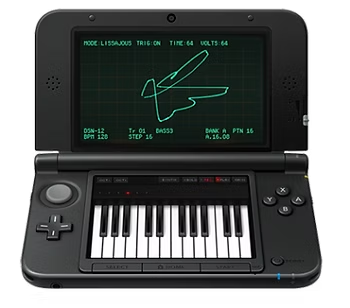
Learn how using the Nintendo 3DS with Korg DSN-12 inspired creativity in music production, highlighting the benefits of working with limitations and unconventional tools.

February 23, 2017
At 344 Audio HQ we have a nice collection of hardware/software synthesizers and effects.
There is one that stands out to us as particularly interesting, not because it's analogue, or expensive or pretty, but because it is a great inspiration tool. We decided to make a blog about our experience producing a song using only the Nintendo 3DS with the Korg DSN-12 application and mixing with the stock plugins in Pro Tools.
The great thing about using the DSN-12 is that there are lots of technical limitations. It is monophonic, uses a tiny screen and has no midi input. The reason this works well is because limitations force creativity. As humans we naturally get creative when we have no other option.
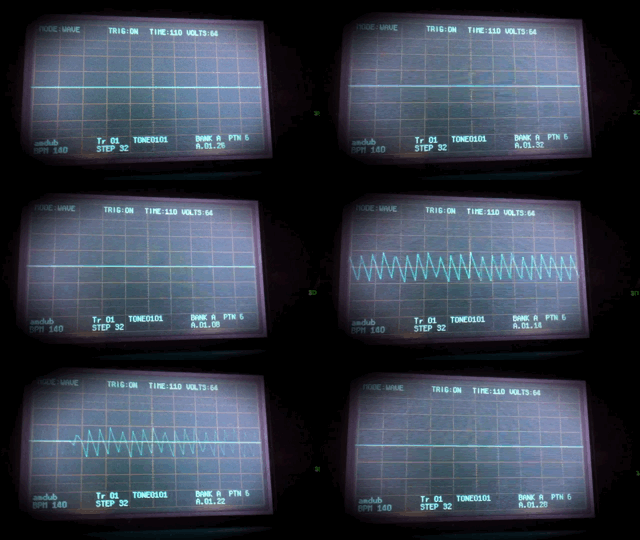
As we made synth patches, ideas were flowing. We have to admit though, it was hard not to be distracted by the brilliant 3D oscilloscope display on the top screen...
The workflow is quite laborious compared with using a MIDI editing software like Pro Tools. You have to tap to create a note, and they can't be extended, you have to create multiple consecutive notes and then visit the 'gate' section to switch legato on. If you spend time with it though, you start to find shortcuts assigned to the various buttons, which helps with navigation. One thing that was great when deciding on the direction of the piece, was the ability to use the stylus to tweak synth parameters. Korg DSN-12 features a semi-modular subtractive synthesis structure and has quite a wide range of sounds at it's disposal. I noticed some features definitely leaned more towards aggressive sounding patches, with it's MS-20 style analogue modelled filter and oscillators.
We decided to make a Dubstep song due to the ease of modulation and the aggressive sounds available on DSN-12, listen to that here:
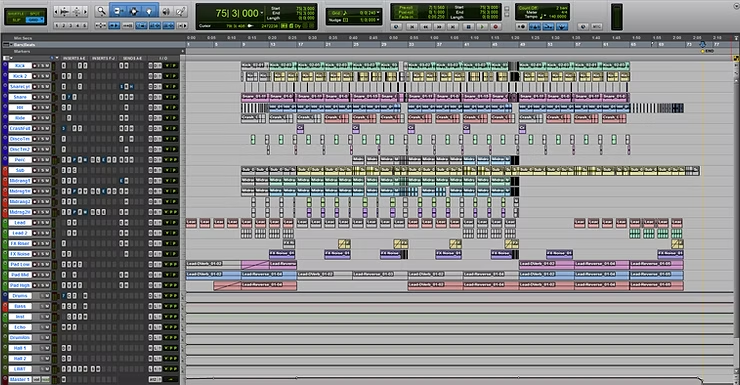
Once we got to designing sounds, our first instinct was to create a drum loop. The synth engine lent itself well to clicky kick drums, lasery toms and noisy snares. After creating a basic half time drum loop, we brought it in to Pro Tools to arrange and mix it:
The next recipe was of course the bass sounds! We used modulation on the filter cutoff and pulse width modulation to make some gnarly bass tones to stand up to the heavy drums. We then took these into Pro Tools and added stock effects to strengthen the tones within the mix:
The final element to create was a rise effect, common in Electronic Dance Music, letting the audience know when to get excited for the song's main section. We brought it into Pro Tools and then sampled some noise from the 3DS to layer as a white noise sweep:
Making a song on the 3DS and Korg DSN-12 didn't actually take a lot of time. The concept was made in less than an hour and the final piece was arranged and mixed in a matter of hours too. It shows that sometimes these limitations are beneficial - especially when musicians are experiencing writers block!
We also discovered the strengths and weaknesses of the software. It has a sound engine suited to aggressive digital sounds with a subtractive analogue vibe but can lack in desirable frequency content. We now know where to use this tool in sound design and music projects and how to play to it's strengths.
Another thing to take away from this is that Pro Tools stock plugins deserve a lot more credit than they are given. They can sound a little flat or harsh, but in the right hands they can still be used to sculpt and shape sounds, often crafting new and unexpected sonic ear candy.
Don't neglect the tools around you. Use that old synth, turn on that ancient keyboard, open up that old app on your iPhone and start making some music with it. You never know if you could design your next song with toys too!


